

Participant status lifecycle
Every participant moves through a set of statuses over their time with your organisation:| Status | Meaning |
|---|---|
| Referral | Initial referral received — intake not yet started. The participant appears in your Referrals list. No billing can occur at this stage. |
| Intake | Onboarding in progress. You’ve accepted the referral and are completing the 28-section intake assessment. Non-billable activities can be logged. |
| Active | Currently receiving support coordination. All features available — activities, plans, billing, service agreements. |
| On Hold | Temporarily not receiving active support — for example, the participant is in hospital, has paused engagement, or their plan is under review. You can still view their record but cannot log new billable activities. |
| Exited | Support has ended. The record becomes read-only. All historical data is preserved for compliance purposes. |
Finding participants
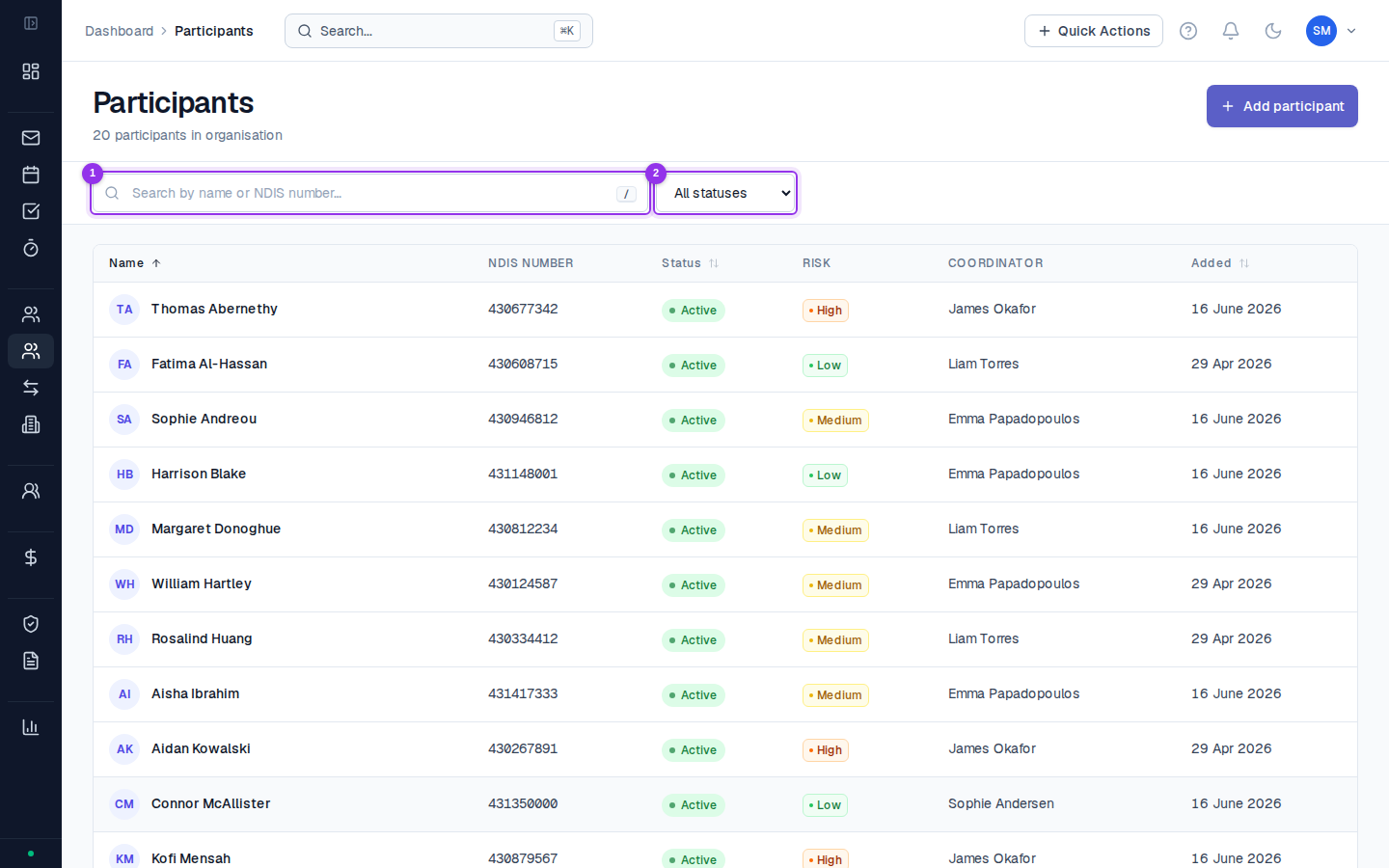
Your participant list is at Participants in the sidebar. By default it shows your assigned caseload. Administrators and owners can see all participants across the organisation. Use the search bar (Cmd+K / Ctrl+K) to find a participant by name or NDIS number from anywhere in CoordHub. The participant list can be filtered by:- Status — Active, On Hold, Intake, Referral, Exited
- Coordinator — filter to a specific staff member (Admins only)
- Plan expiry — participants with plans expiring within a set period
What’s in a participant profile
Each participant has a profile with a sidebar of tabs on the left:- Overview — key details, NDIS number, DOB, address, clinical flags
- Goals — NDIS goals linked to their current plan
- Plans — NDIS plans and budget breakdowns
- Contacts — guardians, nominees, plan managers, emergency contacts
- Consent — consent records with expiry tracking
- Providers — linked service providers
- Activities — all activities logged for this participant
- Documents — uploaded files and documents
- Intake — the 28-section intake assessment
- Service Agreements — all SAs for this participant
- Progress Reports — NDIA progress reports (initial, mid-term, annual)
- Representatives — formal OPA WA guardians, NDIA nominees, advocates
- Incidents — incident records involving this participant
- COI — conflict of interest declarations related to this participant
Common questions
Common questions
Can I move a participant back from Exited to Active?
Yes — an Administrator or Owner can change the status from Exited back to Active. The record will become editable again. This is useful if a participant re-engages after a gap. All historical data is preserved.Why can’t I see a participant in my list?
The most common reasons: the participant is assigned to a different coordinator (Admins can see everyone, Coordinators only see assigned participants), the participant has an Exited status and your filter is set to Active only, or the participant was set up under a different spelling of their name. Try searching by NDIS number instead of name.What’s the difference between the Representatives tab and the Contacts tab?
The Contacts tab holds everyone connected to a participant — formal and informal. The Representatives tab is specifically for formal legal representatives (OPA WA guardians, NDIA nominees, advocates) with authority documentation attached. If someone has legal signing authority, they should be in both tabs.