

What counts as a reportable incident
The NDIS (Incident Management and Reportable Incidents) Rules 2018 define two categories: Reportable incidents must be notified to the NDIS Quality & Safeguards Commission:- Death of an NDIS participant
- Serious injury of a participant
- Abuse or neglect of a participant
- Unlawful physical or sexual contact with, or assault of, a participant
- Use of a restrictive practice not in a participant’s behaviour support plan
- Unauthorised use of a restrictive practice
- Near-misses or close calls
- Minor injuries (e.g. a small cut during a support session)
- Participant distress or behaviour that did not result in harm
- Staff incidents (e.g. workplace injuries) — these are handled separately under WH&S
Logging an incident
Complete the incident form
Fill in:
- Date and time of incident
- Location — where the incident occurred
- Subject — the participant involved (or “Staff” / “Third party” if the incident didn’t involve a participant)
- Incident type — select the closest category from the dropdown
- Description — a factual account of what happened, written in plain language
- Immediate actions taken — what was done immediately after the incident
- Witnesses — names of any witnesses present
- Reportable incident? — Yes / No / Under review
The 24-hour reporting window
Log the notification date and reference number from the Commission Portal back in CoordHub on the incident record — this creates your audit trail.Finding and updating incidents
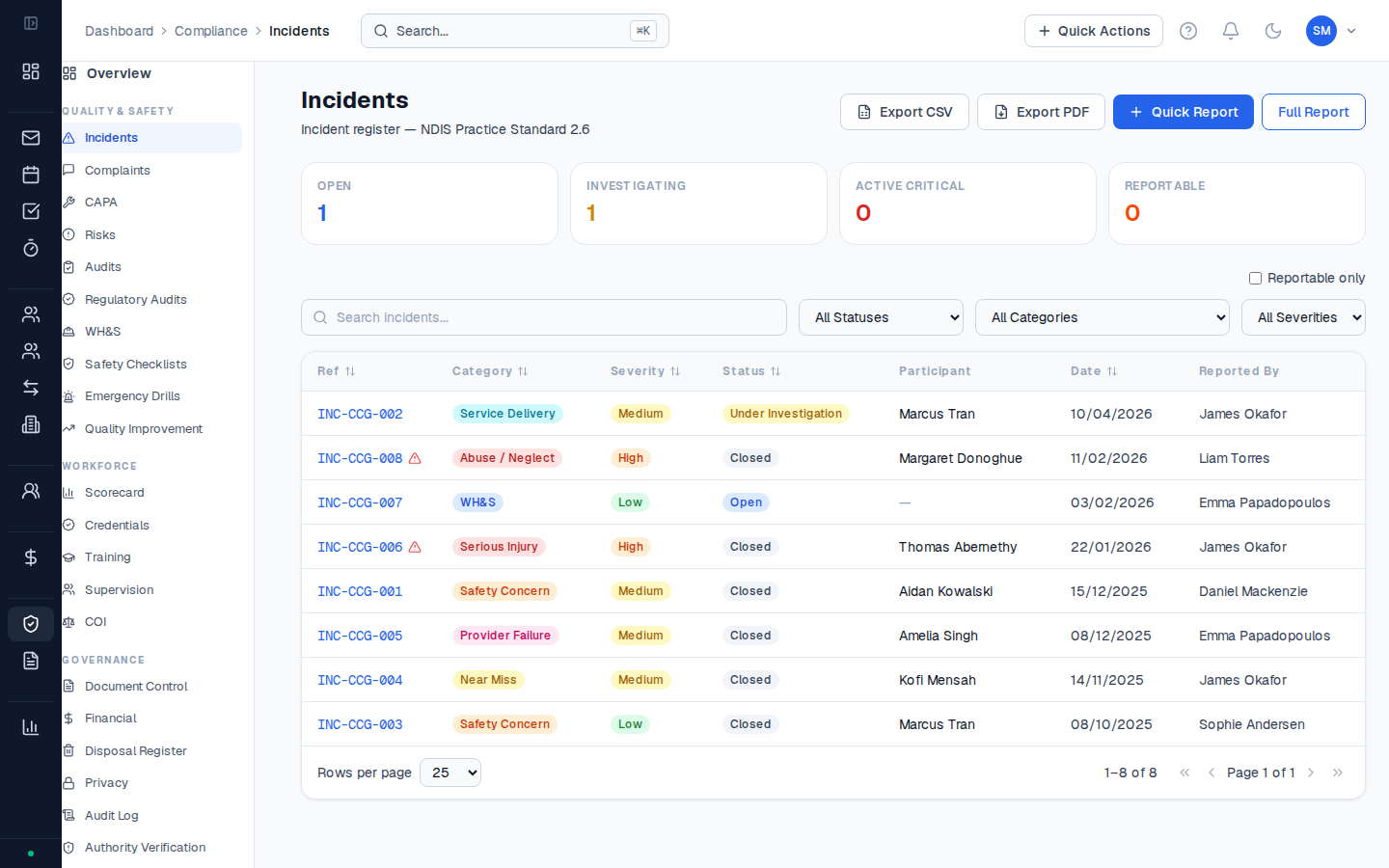
Go to Compliance → Incidents to see all incidents. Filters let you narrow by participant, date range, status, and reportable status. Click any incident to open the full record. You can:- Add follow-up notes — record what was done after the initial response
- Update the status (Open → Under Review → Closed)
- Link a CAPA (corrective and preventive action) if systemic change is needed
Creating a CAPA from an incident
If an incident reveals a systemic issue that needs a process change, create a CAPA:- Open the incident record
- Click Create CAPA in the Actions section
- Describe the corrective action required, assign it to a responsible person, and set a due date
Incidents involving participants should only be accessible to staff who have access to that participant’s record. CoordHub applies the same role-based access to the Incidents register.