

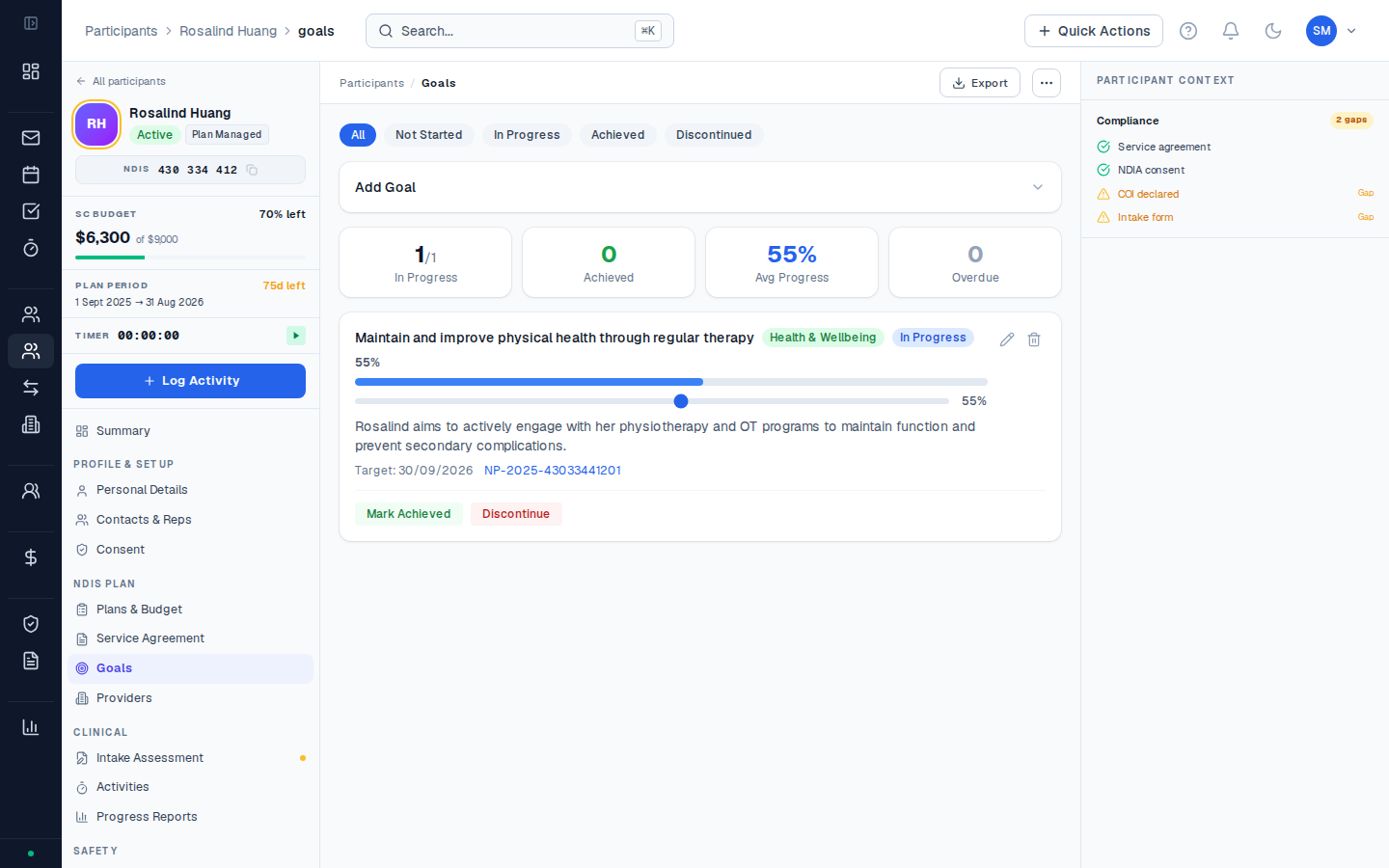
What goals mean under the NDIS
The NDIS Act requires that each participant’s plan identify their goals and aspirations. Goals are not just administrative — they’re the primary mechanism through which the NDIA assesses whether funded supports are achieving outcomes for a participant. At a planning meeting, the NDIA (or their delegate) will assess progress against the goals from the previous plan period. Well-documented goal progress strengthens the case for continued or increased funding. Poor documentation — even if excellent work was done — can result in reduced funding because the NDIA can’t see the outcomes.NDIS goals vs. functional goals
NDIS goals are the broad aspirational statements in the participant’s plan document — e.g. “I want to live more independently in my own home” or “I want to build my skills to find part-time employment.” Functional goals are the specific, measurable sub-goals that your organisation sets in collaboration with the participant to work toward the NDIS goal — e.g. “Learn to prepare 3 meals per week by July” or “Attend three job readiness workshops by November.” CoordHub records NDIS goals (as stated in the plan document) and lets you tag activities against them. If your organisation also tracks functional sub-goals, use the Notes field on each goal record.Goals are linked to plans
Each goal you add is linked to a specific NDIS plan. When a plan ends and a new plan begins, you add new goals for the new plan period. Historical goals remain on the participant’s record for reference.Goal status
| Status | Meaning |
|---|---|
| In Progress | Goal is actively being worked toward |
| Achieved | Goal has been met — document what the outcome was in the Notes field |
| Discontinued | Goal is no longer being pursued (participant changed priority, or plan ended before the goal was achieved) |
Goals and NDIA progress reports
When you generate an NDIA progress report for a participant, CoordHub pulls the active goals into the report automatically. Activities tagged to a goal provide the supporting evidence — the more consistently you tag activities to goals, the richer your progress reports will be.Common questions
Common questions
How many goals should a participant have?
This varies by participant. NDIS plans typically have 3–7 goals covering different life domains (daily living, community, employment, health, relationships, etc.). CoordHub doesn’t limit the number of goals — add one goal per goal statement in the participant’s plan document.What do I do with goals from an old plan when a new plan starts?
When you add a new plan, the old goals are automatically linked to the old plan and become historical. Add fresh goals for the new plan period. If the participant carries the same goals into their new plan, add them again — don’t reuse the old ones, as this muddies the plan-period linkage.Can I edit a goal after it’s been created?
Yes — click on the goal from the participant’s Goals tab and edit the fields. Editing a goal name updates it everywhere it appears (in activity links and progress reports). If the goal wording changed between plan periods, update it to match the new plan document.